Tech That Sucks
The update removed the feature you were using it for
Software regressions are not accidents of engineering. They are the visible edge of a decision about which users still count.
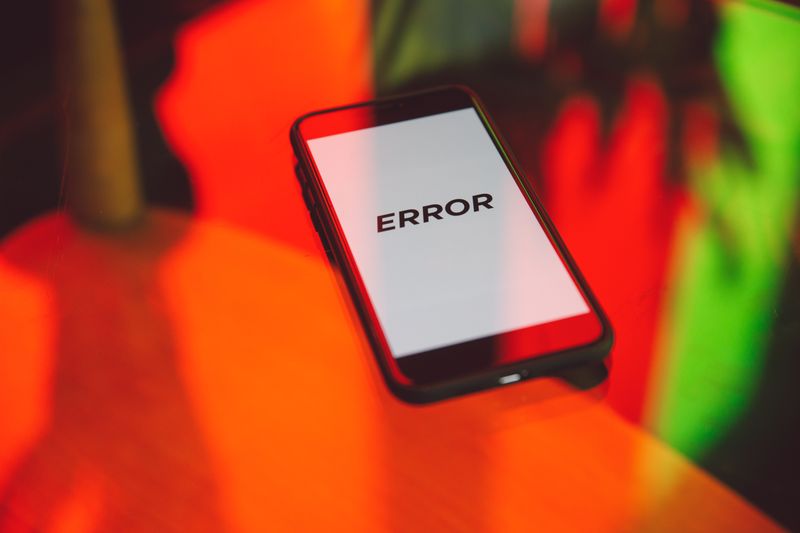
This looks at feature removal from the practical end — what holds up once conditions stop being ideal.
What holds up in practice
- Rewrites frequently ship with fewer features than the version they replace.
- Usage telemetry undercounts features that are hard to find in the first place.
- Version pinning is the only reliable defence and carries a security cost.
Rewrites lose features by default
Replacing an old codebase means rebuilding every feature deliberately, and features nobody argues for do not get rebuilt. The replacement ships when it covers the common cases, because shipping is what justifies the cost of the rewrite in the first place. Everything in the long tail is scheduled for later, and later is a queue that competes with all new work forever afterwards.
This is why a rewrite so reliably feels like a downgrade to experienced users and like a modernisation to everyone else. The pattern is old enough to be a named hazard in software engineering and it keeps happening anyway, which tells you how strong the incentives are.
Telemetry measures discoverability, not value
Usage data showing a feature is rarely used is the standard justification for removing it, and the measurement has a known flaw. A feature buried three menus deep is used rarely because it is buried, and the data cannot distinguish that from genuine indifference.
The bit they bury in the confirmation email: intensity is also invisible in a simple usage count, so a control used by a small number of people every single day scores the same as one used once by many. Those small daily users are frequently the ones who chose the product for that reason, which makes them expensive to lose and cheap to overlook. Teams that weight by dependence rather than by headcount get different answers, and the analysis costs more, which is why it is less common.
The interface redesign that resets everyone
Rearranging menus and controls imposes a real relearning cost on every existing user in exchange for a benefit that accrues mainly to new ones. Because new-user metrics are measured carefully and existing-user friction is measured badly, the trade consistently looks better on a dashboard than in a room.
Settings frequently reset to defaults during a major redesign, which quietly undoes accessibility, privacy and workflow choices people made deliberately. The redesign is usually announced in terms of cleanliness and focus, which are aesthetic claims presented as functional ones. Keeping a written note of your non-default settings is the only practical countermeasure, and it takes about five minutes once.
Why complaints rarely reverse it
Feedback arrives loudest immediately after a change and fades within weeks, whereas the engineering cost of reverting rises the whole time. That timing means the peak of the objection lands when reversal is still possible and the strength of the case is at its least legible. Reversals do happen, and they cluster where the removed feature was load-bearing for a paying segment that could leave visibly and together.
On hold for the fourth time, individual consumer complaints almost never meet that bar, which is not a moral judgement about them but a description of the mechanism.
Organised, specific and quantified feedback from users with a contract works, and everything else is shouting into a form.
Version pinning and its price
Staying on an older version preserves the feature and stops security fixes, which is a genuine trade rather than an obvious answer. For an offline tool with no network exposure the trade is often acceptable, and for a browser or a mail client it very much is not. App stores complicate it further, because they update automatically and frequently do not offer an older build at all.
The bit they bury in the confirmation email: keeping an installer for the last good version is free and occasionally saves an afternoon, particularly for professional software. Open-source alternatives sometimes preserve removed behaviour indefinitely, which is a real argument for them beyond the usual ideological one.
One bad unit is bad luck; a pattern across thousands of buyers is a design decision.
Choosing software that will not do this to you
Products that publish detailed changelogs including removals are signalling something, because hiding removals is easy and disclosing them is not. A long-term support release, where one exists, is designed for exactly this problem and is usually free to switch to.
Read the terms and there it is: file formats matter more than features, since an open documented format means a removal is an inconvenience rather than a trap. Exporting your data once, at a moment when you are happy, is the cheapest insurance available against every version of this. The feature you rely on may still disappear, and at least you will not lose the fifteen years of work that used it.
The takeaway
Write down your settings and export your data while you are still happy.
The fix is usually trivial, which is the most annoying part.
Questions readers ask
Why do companies remove features people use?
Usually maintenance cost during a rewrite, guided by usage counts that undercount buried and high-intensity features. Rarely malice, frequently bad measurement.
Can I stay on an old version safely?
For offline tools, often yes. For anything handling untrusted input from a network, the security cost usually outweighs the lost feature.
Also by Debashis Panda
- Hold music is not an apology, it is a queue management toolPains In The Butt
- Clamshell packaging: the box that defeats the customer to defeat the thiefPains In The Butt
- The free trial that needs your card is not measuring your interestMoney Suckers
- Every app now wants to send you notifications about itselfTech That Sucks